

To dictate Greek and English in the same email on Windows, choose a dictation mode that supports mixed speech, click the message body and speak your draft. In Sayvento, use Greek + English. Review names, dates and English terms before sending; interface language and keyboard layout are separate settings.
A sentence such as “Θα στείλω το updated brief μέχρι την Παρασκευή” is ordinary working language for many bilingual teams. You may want the Greek sentence and English phrase to stay exactly as spoken. The useful question is how to capture that mixture, check it and put it into an email you are happy to send.
Here is a practical workflow, with a short example you can adapt. The examples are suggested drafts, not transcription benchmarks or promises of identical output.
Choose the dictation tool before changing Windows languages
Windows voice typing, Outlook Dictate and Sayvento each have their own language controls. Opening an email in Outlook does not mean you have to use Outlook’s recorder.
| Tool | Language setting to check | Useful distinction |
|---|---|---|
| Windows voice typing, opened with Windows + H | Windows input language and Microsoft’s supported-language list | Input-language switching controls its voice typing language |
| Outlook’s built-in Dictate | Spoken Language in dictation settings | Microsoft lists Greek as a preview language |
| Sayvento | Greek + English for a mixed draft | The app has a dedicated mode for mixing these two languages |
Microsoft explains that Windows + Space changes the input language used by Windows voice typing. Its Windows 11 supported-language list, checked on 30 September 2026, does not list Greek. Check that list again when choosing a tool, rather than treating an installed Greek keyboard as proof of speech support. Microsoft: Windows voice typing.
Outlook has its own Spoken Language setting. Microsoft’s documentation lists Greek among preview languages and notes that preview languages may have lower accuracy or limited punctuation support. Microsoft: dictating emails in Outlook.
For the workflow below, use Sayvento’s Greek + English mode. The product guide shows its current language choices.
Keep three language settings separate
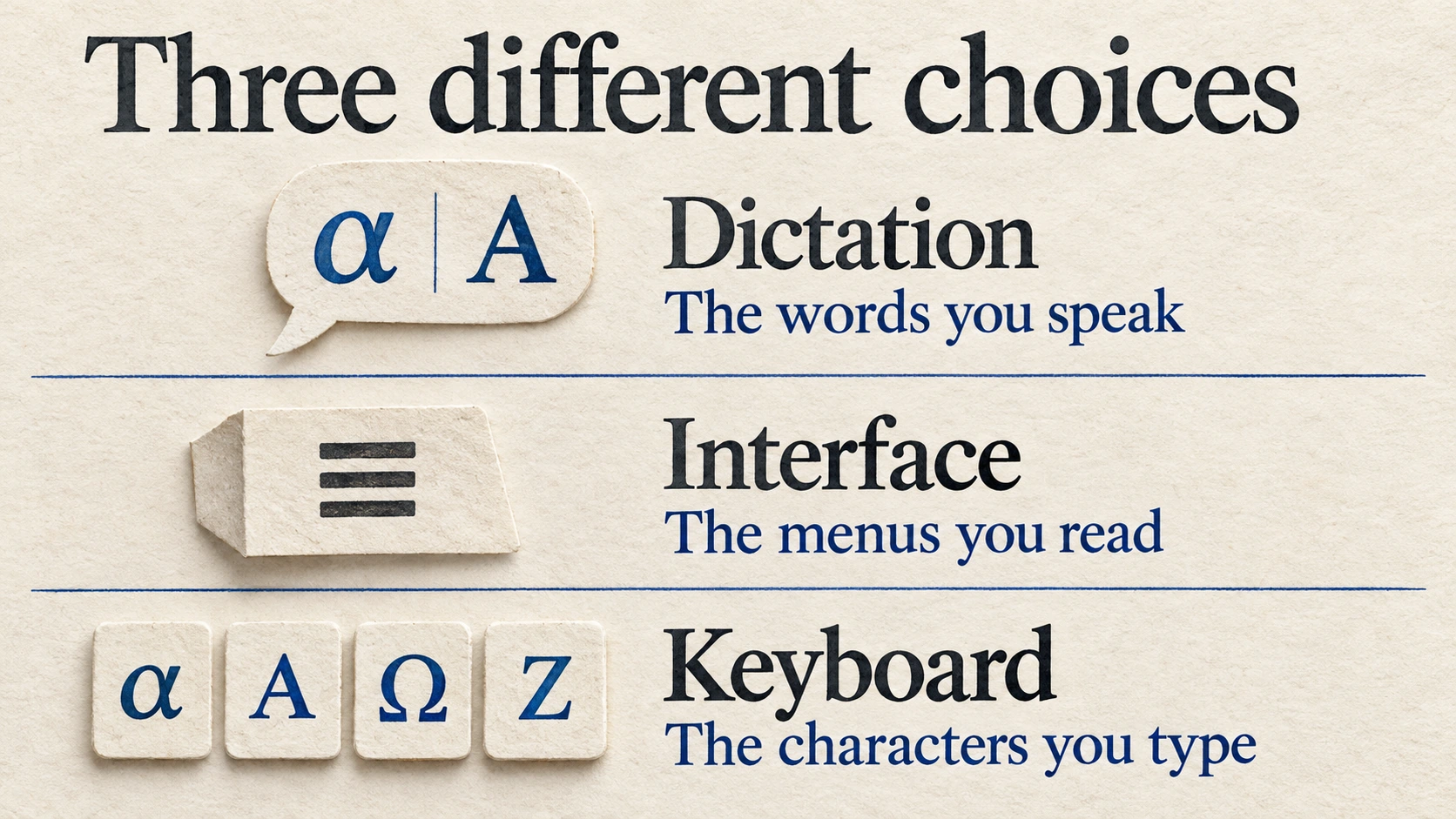
These settings control different parts of writing. The illustration is a conceptual guide, not an app screenshot.
Dictation language tells the speech tool what spoken language to expect. Sayvento’s Greek + English mode is the starting choice for a mixed message. A fixed Greek or English selection is available when you intend to speak only that language.
Interface language changes the app’s menus. You can use Sayvento’s English interface while dictating Greek, or its Greek interface while speaking English. Changing the menu language does not choose a translation target.
Keyboard layout determines the characters you enter with physical keys. Keep a Greek layout available if you want to correct Greek text manually. Microsoft documents how to add layouts under Settings → Time & language → Language & region and switch among installed layouts. Microsoft: language and keyboard settings.
That separation makes troubleshooting easier: a Greek menu, a Greek keyboard and Greek speech recognition are three different capabilities.
Set up a short bilingual email draft
Start with a blank draft rather than an important reply. Choose your microphone, keep the room reasonably quiet and make sure Sayvento is signed in and ready. Its transcription uses cloud processing, so you need an internet connection.
Use this sequence:
- Choose Greek + English as the dictation language.
- Open your email draft and click the editable message body. Confirm that the cursor is there.
- Start recording with your configured Sayvento shortcut or the Floating bar.
- Speak one complete thought at a comfortable pace, then stop.
- Read the inserted text before recording the next part.
Beginning with a short paragraph gives you a chance to catch a wrong name or misplaced English phrase while the sentence is still fresh. You can expand to longer drafts once you are comfortable with the result.
If audio capture or insertion fails, use the separate microphone and paste troubleshooting guide to identify the failed stage.
Try a message that reflects how you actually work
Suppose you need to send a Greek project update containing an English document name. A draft might read:
Καλημέρα Μαρία,
Θα στείλω το updated brief μέχρι την Παρασκευή. Μπορείς να μου επιβεβαιώσεις αν το landing page χρειάζεται ακόμη αλλαγές;
Ευχαριστώ!
Speak the message in your normal working language. Keep “updated brief” and “landing page” if those are the terms your recipient uses. There is no need to translate them merely to make every word belong to the same language.
Before sending, check whether “Παρασκευή” is the intended deadline and whether the recipient can identify which landing page you mean. A transcript can reproduce an ambiguous sentence correctly. Adding the project name may make the email more useful than another round of stylistic editing.
This sample contains fictional correspondence. It is not a recording result, customer story or measured accuracy test.
Give project names and repeated phrases some help
Unfamiliar names deserve a careful read. If you often use a particular product or project name, add its preferred spelling to Sayvento’s Dictionary. Keep the list useful: the terms you regularly dictate are a better starting point than every possible name in your business.
For a recurring sign-off or calendar link, consider a Snippet with a memorable spoken trigger. Verify the expanded text before you use it in a real reply. Both tools are described in the product guide linked above.
For an occasional URL, invoice identifier or unusual spelling, copying the exact value may be easier than dictating it. Voice typing works well as one part of writing; you can still use the keyboard and clipboard for details that need exact characters.
Review the meaning, then the presentation
Read the first draft for things that could change the message: who is doing what, names, dates, amounts and the question you want answered. Check Greek accents and whether English brand names retained their intended spelling.
Then look at paragraph breaks and tone. In Sayvento, optional cleanup and destination formatting can shape the presentation. Review any resulting edits, especially if your mixed-language wording is deliberate. You remain responsible for the message that goes out.
Dictation and translation serve different purposes. Dictation writes down what you say. If the recipient needs the whole message in English, use a separate translation step and review its result. Choosing an English interface does not translate your Greek draft.
Click Send yourself once the text, recipient and subject are correct. This workflow ends with a reviewed draft; it does not automate sending email.
Frequently asked questions
Can I speak Greek and English in the same sentence?
Sayvento’s Greek + English mode supports mixed dictation. Choose it for sentences containing both languages, then review the result. Names, abbreviations and very short English phrases still deserve attention.
Do I need to change my Windows display language?
No. Sayvento’s dictation language is separate from the Windows display language and its own interface language. A Greek keyboard layout is useful for manual corrections, but it is a separate setting.
Does Windows + H support Greek?
Microsoft’s Windows 11 voice typing list checked on 30 September 2026 does not list Greek. Outlook Dictate lists Greek as a preview language, and Sayvento offers Greek + English dictation. Check each tool’s current language support before relying on it.
Can I write the same draft without an internet connection?
Sayvento’s cloud transcription requires an internet connection. Local History storage does not make transcription work offline. You can read its privacy guide for the distinction between local data and cloud processing.
Start with one message you already know how to write
Choose a low-stakes email containing a Greek sentence and one familiar English term. Download Sayvento for Windows and create a Free account, then use the sequence above. Review the draft and adjust your language choice or personal vocabulary from what you actually see.
The Free allowance is currently 3,500 words per week, as checked on 30 September 2026. Your account and the pricing page show current limits.